
Building a website used to mean hiring a developer, learning some code, or spending weeks trying to get the design right.
That is no longer the case.
Website builders have made it much easier for small businesses, freelancers, bloggers, online stores, and creatives to get a professional-looking site online without needing advanced technical skills. Many platforms now include AI tools, ready-made templates, SEO features, ecommerce options, and even marketing tools.
But having lots of choice can create a different problem: which website builder should you actually use?
The answer depends on what you’re building. A small local business may want something simple and affordable, while an online shop needs strong ecommerce tools. A photographer might care more about design, while a growing company may need flexibility and room to expand.
The list below brings together the five platforms tested in the supplied Expert Market comparison and five other notable choices appearing in current 2026 UK website-builder comparisons. The supplied test rated Wix, Squarespace, Hostinger, Shopify, and GoDaddy on factors including features, design, ease of use, value, reputation, and support.
Website Builders Comparison
| Website Builder | Best Known For | Starting Price Mentioned in Source |
| Wix | All-round websites and small businesses | £9/month |
| Squarespace | Design and creative websites | £12/month |
| Hostinger | Affordable, AI-assisted websites | From £2.99/month on longer terms |
| Shopify | Ecommerce businesses | £19/month |
| GoDaddy | Quick and simple setup | £8.99/month for first year |
| WordPress.com | Blogs and content-focused sites | Varies by plan |
| IONOS | Small business websites | From around £10/month |
| Webflow | Custom, designer-led websites | Free plan; paid plans from $15/month |
| Jimdo | Simple websites for small businesses | Varies by plan |
| SITE123 | Fast and straightforward setup | Free plan available |
1. Wix
Best for: All-round website building
Wix continues to stand out because it tries to do a little bit of everything.
You can build a website using its drag-and-drop editor, start with one of its large template libraries, or let its AI tools help create the first version of the site. The supplied testing found more than 900 templates, along with built-in marketing and ecommerce features.
Its AI features have also become a bigger part of the experience. Wix can help generate website designs, create and edit images, and produce marketing content.
Businesses can sell products and services from the Core plan, while the platform also connects with marketplaces and social channels.
There are a couple of things to think about before committing. Wix does not let you switch templates after publishing, and its dashboard can feel a little overwhelming when you get into more technical areas such as SEO.
Its UK plans in the supplied comparison run from a free plan to £119 per month, with paid options such as Light, Core, Business, and Business Elite.
2. Squarespace
Best for: Creatives, portfolios, and service businesses
Squarespace is the platform to look at when appearance matters a lot.
Its templates are polished and modern, and its grid-based editor makes it easier to keep pages looking tidy. The platform also offers AI-powered website creation and a strong set of booking features.
The built-in Acuity scheduling tools are particularly useful for businesses that rely on appointments. You can manage availability, create booking pages, and send reminders to customers.
The downside is that Squarespace’s design-heavy approach can affect site speed, particularly when a site relies heavily on high-resolution images. It also does not provide built-in card-machine hardware for in-person selling.
Plans in the supplied comparison range from £12 to £79 per month, depending on the package.
3. Hostinger
Best for: Budget-conscious users and AI website creation
Hostinger has made a name for itself by keeping website creation relatively simple and affordable.
Its AI-focused builder can produce a website quickly after a small amount of input, and the platform includes tools for writing content and creating images. During the supplied testing, Hostinger also recorded the fastest site-loading speed among the builders tested.
Its AI writer can create longer blog posts and sections of content, which can save time when you’re starting from a blank page.
The trade-off is that Hostinger has fewer built-in marketing and integration options than some competitors. Its ecommerce offering also has limitations, including a 500-product limit in the plan tested and fewer shipping integrations.
Hostinger’s pricing can be especially attractive on long-term contracts, but this is one platform where you should pay attention to the renewal price rather than focusing only on the introductory figure.
4. Shopify
Best for: Ecommerce businesses
Shopify is built around selling.
If your website is primarily an online store, Shopify gives you tools for products, inventory, payments, shipping, marketing, and integrations in one place. The supplied comparison notes that Shopify has more than 8,000 apps, giving businesses plenty of options for expanding their stores.
It also supports in-person and online selling, and its websites are designed to work well across mobile devices. SEO settings such as page titles, meta descriptions, URLs, and image alt text can be managed from the platform.
Shopify can feel like too much if you only need a simple company website. Its extensive backend is designed for businesses that actually have products or services to sell, and it is generally more expensive than simpler builders.
The supplied comparison lists the main website plans from £19 per month, with higher plans for larger operations.
5. GoDaddy
Best for: Quick and easy website setup
GoDaddy is aimed at people who want to get a website online without spending ages learning how the platform works.
Its AI builder can create an initial website quickly, while the drag-and-drop editor keeps the setup fairly straightforward. It also includes marketing tools and useful booking features for businesses that take appointments.
The simplicity does come with some limitations. GoDaddy’s designs are less flexible than platforms that focus heavily on visual customisation, and you have less control over the mobile version of your website.
The supplied UK comparison lists first-year prices from £8.99 per month, depending on the plan.
6. WordPress.com
Best for: Blogs and content-heavy websites
WordPress.com is a different kind of option from the traditional drag-and-drop builders.
It is particularly well suited to blogs, publishing, and content-focused websites, while paid plans provide access to a much broader ecosystem of plugins and features. WordPress.com is also hosted for you, which means hosting, security, backups, and updates are managed as part of the service.
The important distinction is between WordPress.com and WordPress.org. WordPress.org is open-source software that you install on your own hosting, while WordPress.com is the hosted version.
WordPress can offer a lot of flexibility, but it can also require more learning than a simpler website builder.
7. IONOS
Best for: Straightforward small business websites
IONOS combines website building with hosting, domains, email, and other online business services.
Its website builder includes AI assistance for creating content and layouts, along with templates, blogging features, SEO tools, and ecommerce functionality. IONOS also promotes personal adviser support as part of its service.
This makes it an interesting option for a small business that prefers getting several basic web services from one provider rather than assembling them separately.
Current UK pricing shown by IONOS includes plans starting around £10 per month before VAT, with promotional rates available on some packages.
8. Webflow
Best for: Designers and custom websites
Webflow is aimed at people who want considerably more control over how a website looks and behaves.
It sits somewhere between a traditional website builder and a professional visual web-development platform. You can create sites visually while working with more advanced layouts, CMS functionality, custom code, and structured content.
Webflow currently offers a free Starter plan, while its Basic site plan starts at $15 per month when billed yearly.
It is a powerful choice, but that flexibility comes with a steeper learning curve. For someone who simply wants a small business website online quickly, a simpler platform may feel more comfortable.
9. Jimdo
Best for: Small businesses that want a simple setup
Jimdo focuses on making website development accessible to those who don’t want to dedicate hours to learning technical tools.
According to recent comparisons from 2026, Jimdo is one of the simple website builders that small businesses may use, with plans aimed at putting a professional website online without the complexity of a more sophisticated platform.
10. SITE123
Best for: Fast website creation
SITE123 is built around a simple idea: get your website online quickly.
Its guided setup process and pre-designed layouts reduce the amount of work involved in creating a basic site. It also includes blogging, SEO, and simple ecommerce tools.
That simplicity makes it useful for people who don’t need a highly customised website.
The trade-off is that you have less design freedom than you would get with platforms such
as Wix, Squarespace, or Webflow.
How Should You Choose a Website Builder?
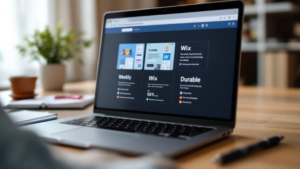
Picking a website builder is easier when you fir
st decide what the website actually needs to do.
A business that only needs a few pages will have very different requirements from an online store with hundreds of products.
The supplied comparison recommends looking at several factors, including price, ease of use, customer support, flexibility, SEO tools, ecommerce features, scalability, and mobile functionality.
Here is a simple way to think about it:
| Your Main Need | Platforms Worth Considering |
| General small business website | Wix, GoDaddy, IONOS |
| Beautiful portfolio or creative site | Squarespace, Webflow |
| Affordable website | Hostinger, SITE123 |
| Online store | Shopify, Wix, Squarespace |
| Blog or publishing | WordPress.com, Squarespace |
| Fast setup | GoDaddy, Hostinger, SITE123 |
| Greater design control | Webflow, Squarespace, Wix |
| Appointment-based business | Squarespace, GoDaddy, Wix |
There is no reason to pay for advanced ecommerce features when all you need is a simple company website. Likewise, choosing a very basic builder can become frustrating if you already know you’ll need a large online store later.
What About WordPress.org?
WordPress.org deserves a quick mention because it is one of the most widely used website platforms, but it works differently from the builders in this comparison.
You have much more control over the website, data, themes, plugins, and hosting environment. The downside is that you are also responsible for more setup and maintenance.
The supplied source explains that WordPress sits in a different category from traditional website builders because it is a content management system rather than a fully hosted drag-and-drop builder.
For someone comfortable with technology, that extra control can be useful. For a busy business owner looking for the simplest possible setup, it may add unnecessary work.
Don’t Choose Based on Price Alone
A cheap website builder isn’t necessarily the cheapest choice in the long run.
Some platforms advertise very low introductory prices that depend on long-term contracts or upfront payments. Hostinger is a good example of why it’s important to look beyond the headline monthly figure and check renewal pricing and contract terms.
You should also consider whether you’ll need to pay extra for features such as:
- Ecommerce
- Online bookings
- Email marketing
- Additional storage
- Premium templates
- Payment processing
- Third-party apps
A slightly more expensive platform can work out better value if it includes the tools your business actually needs.
What Website Builder Features Matter Most in 2026?
AI has become a much bigger part of website building.
Wix, Hostinger, Shopify, Squarespace, GoDaddy, and other platforms now use AI to help with website creation, writing, images, SEO, or other tasks. The technology can make it much faster to get a first draft online.
But don’t publish everything AI creates without looking at it.
Your website still needs to sound like your business, show real images where possible, and give customers useful information. AI is a tool for speeding things up, not a replacement for good content and thoughtful design.
Conclusion
Choosing a website builder doesn’t have to be complicated.
Start with your business rather than the software. Think about what you need the website to do today and where you expect the business to be a year or two from now.
Wix gives you a broad set of tools for websites, marketing, and selling. Squarespace puts a strong emphasis on design and bookings. Hostinger focuses heavily on affordable, AI-assisted website creation. Shopify is built for businesses that want ecommerce at the centre of their website, while GoDaddy keeps the setup process straightforward.
WordPress.com, IONOS, Webflow, Jimdo, and SITE123 give you other routes depending on how much flexibility, simplicity, content management, or design control you need.
The best website builder is ultimately the one that fits the way you plan to run your business. Don’t pay for features you’ll never use, but don’t choose a platform so limited that you have to rebuild your website six months later.
Take a little time to compare the pricing, templates, SEO tools, support, ecommerce features, and room for growth. That small bit of research can save you a lot of frustration later.
FAQ
What is the best website builder in the UK in 2026?
The right choice depends on what you need.
Which website builder is easiest to use?
Wix, Hostinger, and GoDaddy are designed to make website creation fairly straightforward. Hostinger and GoDaddy also use AI to speed up the initial setup.
Which website builder is best for design?
Squarespace is particularly focused on visual design, with polished templates and a grid-based editor that makes it easier to keep pages neatly arranged.
Which website builder is best for AI website creation?
Hostinger and Wix both place a strong emphasis on AI. Hostinger can create an initial website quickly, while Wix offers a wider range of AI design and image tools.
How much does a website builder cost in the UK?
Prices vary by provider and plan. In the supplied comparison, Wix ranges from a free plan to £119 per month, Squarespace from £12 to £79, and Shopify’s main website plans start at £19 per month.
Do website builders have free plans?
Some do. The comparison includes free options, although free plans usually come with fewer features than paid subscriptions. Wix, for example, offers a free plan, while other builders may provide free trials instead.
Can I sell products through a website builder?
Yes. Several builders support ecommerce. Wix allows businesses to sell products and services, while Shopify is built primarily around online selling.
Which website builder is best for a blog?
Hostinger is a useful option for users who want AI-assisted content creation and blogging tools. WordPress is also widely used for blogs, although the source treats WordPress as a CMS rather than a traditional website builder.
Can I change my website design later?
That depends on the platform. One limitation of Wix is that you cannot switch templates after your website has been published, so choosing your initial design carefully is important.
Does the website builder support mobile websites?
Mobile flexibility is an important feature to check because many people browse websites on their phones. The supplied comparison specifically recommends looking at how well a platform handles mobile layouts.
Can I use a website builder for a UK business?
Yes. The platforms in the comparison are available to UK users, and the source specifically evaluates features such as UK pricing, data protection and GDPR-related tools.
How do I choose between Wix, Squarespace, Shopify, and Hostinger?
Think about your main priority. Wix offers a broad feature set, Squarespace puts more emphasis on design and bookings, Hostinger focuses on affordable AI-assisted creation, and Shopify is geared toward ecommerce and growing online stores.