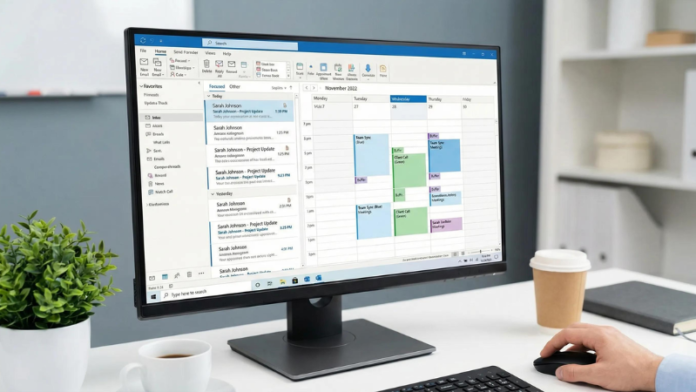
For an entrepreneur, email is much more than a way to send and receive messages. It is often the first place a potential customer meets your business, the channel where important conversations happen, and the tool you use to manage appointments, follow-ups, files, and everyday communication.
That is why choosing the right business email platform matters.
While free email accounts can be useful when you are just getting started, entrepreneurs who want to build a professional brand and stay organized often need something more powerful. Microsoft Outlook email, particularly when used as part of Microsoft 365, combines professional business communication with calendars, contacts, cloud storage, productivity tools, collaboration features, and AI-powered capabilities.
Whether you run a small online business, work as a freelancer, manage a growing startup, or have a team of employees, Outlook can make everyday communication much easier.
Here are the 10 benefits of Microsoft Outlook email for entrepreneurs and why it can be a practical choice for modern businesses.
1. Create a More Professional Business Image
First impressions matter, especially when you are trying to win new customers.
Imagine contacting a potential client from a generic free email address when you could be communicating from an address connected to your own business domain. A professional business email immediately makes your company look more established and credible.
For entrepreneurs, this small detail can make a surprisingly big difference.
Instead of relying on a personal-looking email address, you can communicate using an address associated with your business. This helps customers recognize your company and creates a more consistent brand experience across your communications.
Professional email is particularly useful when you are:
- Contacting potential customers
- Sending invoices or business documents
- Communicating with suppliers
- Pitching services
- Networking with other businesses
- Managing a growing team
Your email address may seem like a small part of your business, but it is one of the things customers see every time they receive a message from you.
2. Improve Email Security
Entrepreneurs have plenty to worry about without constantly wondering whether the next email in their inbox is dangerous.
Email-based threats such as phishing, spam, malicious attachments, and fraudulent messages can create serious problems for businesses. A compromised email account can potentially expose sensitive conversations, customer information, and business documents.
Microsoft Outlook email provides business-focused security features designed to help reduce these risks.
Spam filtering can help keep unwanted messages away from your main inbox, while security settings can provide additional protection against suspicious emails and potentially harmful content.
For businesses that need stronger protection, Microsoft 365 can also be combined with additional security services and controls.
The bigger benefit is peace of mind. Entrepreneurs can spend less time sorting through suspicious messages and more time focusing on customers and business growth.
3. Keep Your Business Technology Up to Date
Technology changes quickly.
The software that seemed perfectly modern a few years ago can suddenly feel outdated, difficult to maintain, or incompatible with newer tools.
One advantage of using Microsoft 365 alongside Outlook is that your productivity software can continue to evolve without requiring you to constantly replace everything manually.
Updates can provide improvements to the software, security, collaboration capabilities, and productivity features you rely on.
For entrepreneurs, this is especially helpful because running a small business already involves enough technical work. You probably don’t want to spend your time worrying about whether your email and productivity software are falling behind.
Instead, you can focus on using the tools while the platform continues to develop.
4. Scale Your Email as Your Business Grows
One of the biggest challenges of entrepreneurship is building systems that work today without creating problems tomorrow.
Your business might begin with just you and one email address. Then you hire your first employee. A few months later, you may have a small team handling sales, customer service, administration, and operations.
Your email system needs to grow with you.
Microsoft 365 makes it possible to add individual email accounts as your team expands. When employees leave, accounts can also be removed or managed according to your organization’s needs.
That scalability makes Outlook useful for businesses at different stages.
5. Work From Almost Anywhere
Entrepreneurship doesn’t always happen from behind the same desk.
You might answer emails from your home office in the morning, attend a meeting in the afternoon, and check an urgent customer request from your phone later in the evening.
Outlook supports this flexible working style by allowing you to access business email across computers, smartphones, tablets, and web browsers.
Your email, calendar, contacts, and tasks can stay synchronized across supported devices, making it easier to continue working when you are away from your main computer.
This is particularly useful for:
- Freelancers
- Online business owners
- Consultants
- Sales professionals
- Remote teams
- Entrepreneurs who travel frequently
You don’t have to be physically present in your office to stay connected to your business.
6. Keep Your Calendar, Contacts, and Tasks Together
Entrepreneurs often have dozens of things happening at once.
One minute you’re answering a customer email. Next, you’re scheduling a meeting. Then you remember that an important follow-up is due tomorrow.
This is where Outlook can become more than an email client.
Its integration with calendars, contacts, tasks, and other productivity features gives entrepreneurs a central place to manage everyday work.
For example, an email from a potential client can lead to a calendar appointment, a reminder, or a follow-up task.
Instead of keeping everything in separate apps and trying to remember what needs to happen next, you can connect communication with your schedule and tasks.
That can make a busy entrepreneurial day feel considerably more manageable.
7. Make Remote Collaboration Easier
Running a modern business often means working with people who aren’t sitting in the same office.
Your team might be spread across different cities or even different countries. In that situation, being able to access documents, communicate quickly, and collaborate remotely becomes essential.
Microsoft 365 connects Outlook with other productivity tools, including OneDrive and Office applications.
Files stored through OneDrive can be accessed across supported devices, while Office documents can be shared and worked on collaboratively.
This can help reduce one of the most frustrating problems in team environments: figuring out which version of a document is the latest one.
Instead of emailing different versions of the same spreadsheet back and forth, team members can collaborate around shared files.
For entrepreneurs, that means less administrative confusion and more time for meaningful work.
8. Save Time With AI-Powered Productivity Features
Time is one of the most valuable resources an entrepreneur has.
You may have a great business idea, but if most of your day disappears into repetitive emails, document work, research, and administrative tasks, it becomes harder to focus on growth.
Microsoft 365’s AI-powered capabilities can help with some of these everyday tasks.
AI can help in various activities such as:
- Drafting emails
- Adjusting the tone of communications
- Summarizing lengthy email conversations
- Brainstorming ideas
- Creating starting points for documents
- Working with information and data
- Helping with presentations
- Making routine tasks easier to manage
The important advantage is that these capabilities can work within the productivity environment you already use.
Rather than constantly switching between unrelated applications, entrepreneurs can access assistance within their existing workflow.
That can make the workday feel smoother and less fragmented.
9. Connect Email With Other Business Tools
Your email doesn’t exist in isolation.
A customer might email you about an appointment. That appointment needs to go onto your calendar. You might then need to send a document, update a spreadsheet, or share information with another team member.
Outlook’s connections with the broader Microsoft 365 ecosystem can help bring these activities together.
For example, Microsoft Bookings can help businesses manage appointments, while OneDrive provides cloud-based file storage and Office applications support documents, spreadsheets, and presentations.
This kind of integration is particularly useful for entrepreneurs who want fewer disconnected tools.
Instead of building a complicated collection of separate services, you can use a connected ecosystem for communication and productivity.
10. Build a More Productive Business Workflow
Perhaps the biggest benefit of Microsoft Outlook email for entrepreneurs is not one particular feature. It is the way several tools can work together.
Email connects with calendars.
Easily connect appointments with calendars.
Contacts connect with customers.
Tasks connect with follow-ups.
OneDrive connects with documents.
Microsoft 365 connects these productivity tools into a broader business environment.
That means entrepreneurs can create workflows that match the way they actually work.
Why Microsoft Outlook Email Makes Sense for Entrepreneurs
Choosing a business email platform is not only about sending messages.
Entrepreneurs need tools that help them look professional, protect their communications, stay organized, collaborate with employees, and work efficiently from different locations.
That’s where Microsoft Outlook email can offer real value.
Its biggest strengths come from its connection to the wider Microsoft 365 environment. Email, calendars, contacts, tasks, cloud storage, Office applications, collaboration tools, and AI-powered features can all contribute to a more connected workflow.
And that matters when you’re running a business.
You don’t necessarily need more technology. You need technology that works together.
Is Microsoft Outlook Email Worth It for Entrepreneurs?

For many entrepreneurs, the answer can be yes, particularly when email is only one part of a larger Microsoft 365 setup.
The value isn’t simply having another inbox.
It’s having a professional communication system that can grow alongside your business and connect with the tools you use to manage your day.
Conclusion
The 10 benefits of Microsoft Outlook email for entrepreneurs go far beyond professional-looking messages.
Outlook can help entrepreneurs create a credible business identity, improve email security, keep software updated, scale communication as their company grows, work remotely, organize schedules and tasks, collaborate with teams, use AI-powered productivity features, connect business tools, and create smoother workflows.
For a new entrepreneur, those benefits can help establish a stronger foundation. For an established business owner, they can make an already busy operation easier to manage.
Ultimately, the best email platform is the one that fits the way you work.
But if you’re looking for professional business email combined with a broader productivity ecosystem, Microsoft Outlook and Microsoft 365 are worth considering.
FAQ
What are the main benefits of Microsoft Outlook email for small businesses?
The main benefits include professional business communication, stronger security options, multi-device access, calendar and task management, cloud collaboration, scalability, and integration with other Microsoft 365 tools. These features can help small-business owners stay organized while managing everyday operations.
Why should entrepreneurs use a professional email address?
A professional email address connected to a business domain can make a company appear more established and credible. It also gives customers a consistent way to recognize your business when they receive messages, proposals, invoices, or other communications.
Is Microsoft Outlook secure enough for business email?
Outlook and Microsoft 365 provide business-focused security features designed to help protect email accounts from common threats such as spam, phishing, malicious attachments, and suspicious messages. Businesses can also use additional security controls depending on their requirements.
Can Microsoft Outlook help entrepreneurs manage their schedules?
Absolutely. Outlook includes calendar functionality that can be used to schedule meetings, appointments, reminders, and other important events. Because the calendar works alongside email and contacts, entrepreneurs can manage communication and scheduling from a more connected workspace.
Can Microsoft Outlook help small businesses work remotely?
Yes. Entrepreneurs and their teams can access email and other Microsoft 365 resources from different locations and devices. Cloud-based tools such as OneDrive also make it easier to access and collaborate on business documents while working remotely.
Can Microsoft Outlook grow with a business?
One of the advantages of business-focused Microsoft 365 plans is scalability. An entrepreneur can start with a small number of users and add additional business email accounts as the company hires employees and expands its operations.
How can Outlook help entrepreneurs save time?
Outlook can reduce the time spent managing everyday communication by bringing email, calendars, contacts, tasks, and other productivity features together. Eligible Microsoft 365 plans can also provide AI-powered capabilities that assist with tasks such as drafting emails, summarizing conversations, brainstorming, and working with documents.
Can Microsoft Outlook help entrepreneurs manage customer appointments?
Yes. Microsoft 365 includes tools such as Microsoft Bookings that can help businesses manage appointments. This can be useful for consultants, service providers, coaches, freelancers, and other entrepreneurs who regularly schedule meetings with customers.
Is Microsoft Outlook better than a free email account for a business?
It depends on what the business needs. A free email account may be sufficient for basic communication, but entrepreneurs who need a professional business identity, additional administrative controls, collaboration tools, scalability, and integration with productivity software may benefit more from a business email solution such as Outlook with Microsoft 365.